Billing, GST invoices, stock and accounts in one place.
Make quotations, bills and GST invoices, keep stock right, record payments and see your profit. No spreadsheets, no paperwork, no confusion.
Already a client? Use Company login and your company code.
This is exactly what you get
Real screens from the system, with sample data. Nothing here is a mock-up.
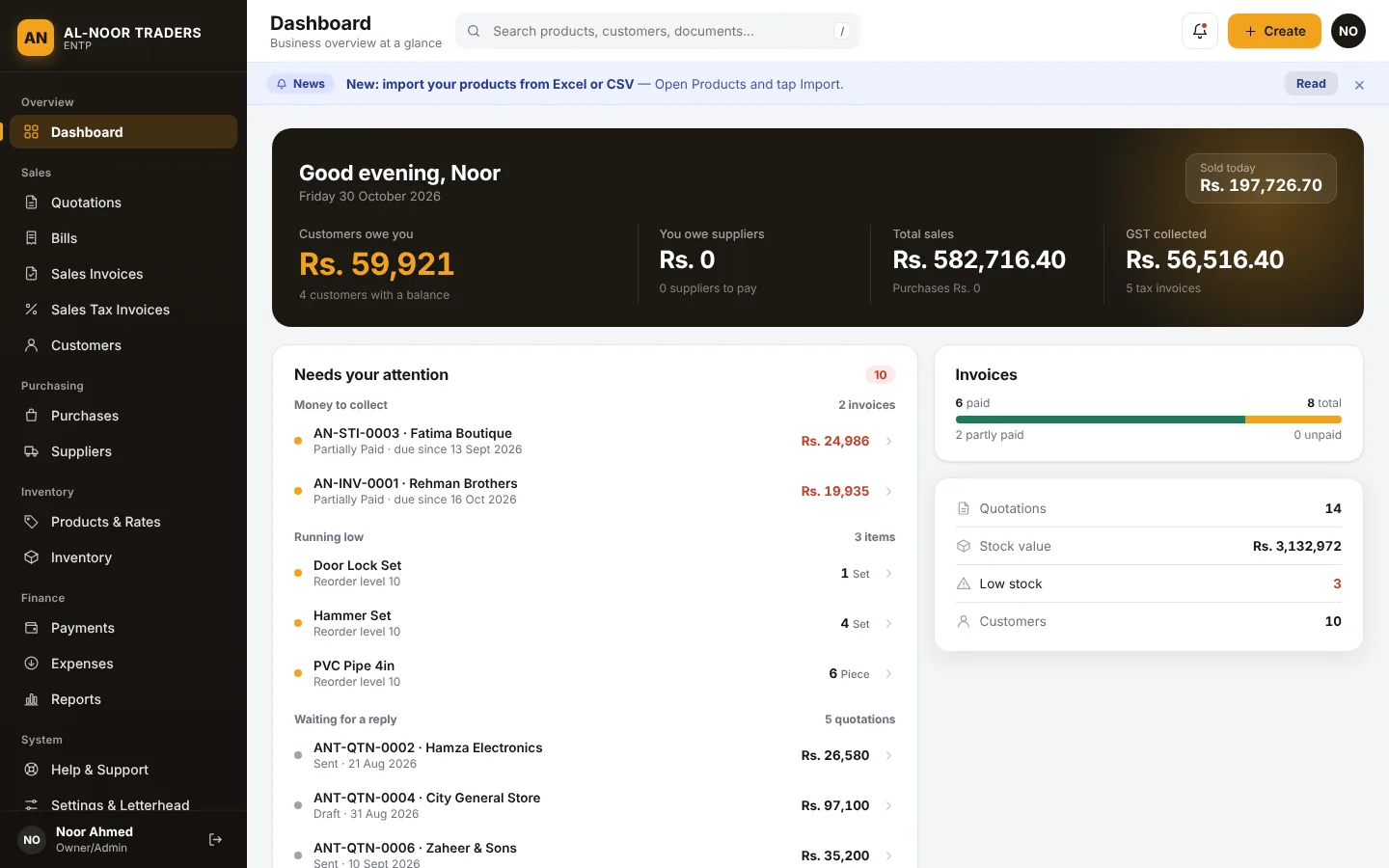
See the whole business on one screen
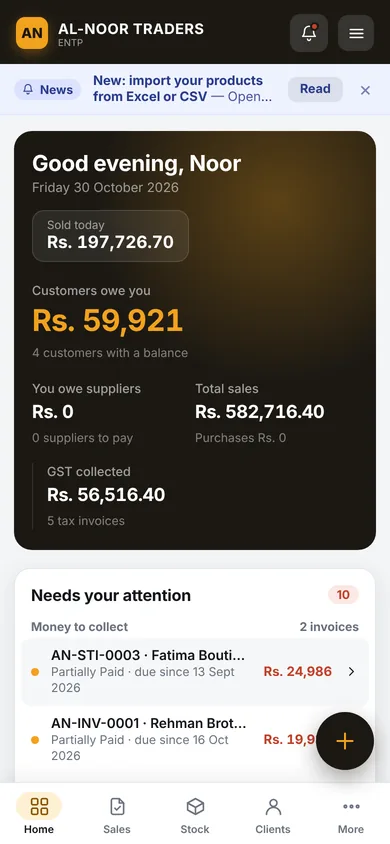
Open the dashboard and know what matters today: who owes you money, what you sold, how much GST you collected and which items are running low.
- Customers owe you, you owe suppliers, total sales and GST collected
- “Needs your attention” list: unpaid invoices, low stock, quotations waiting for a reply
- Works the same on phone, tablet and computer
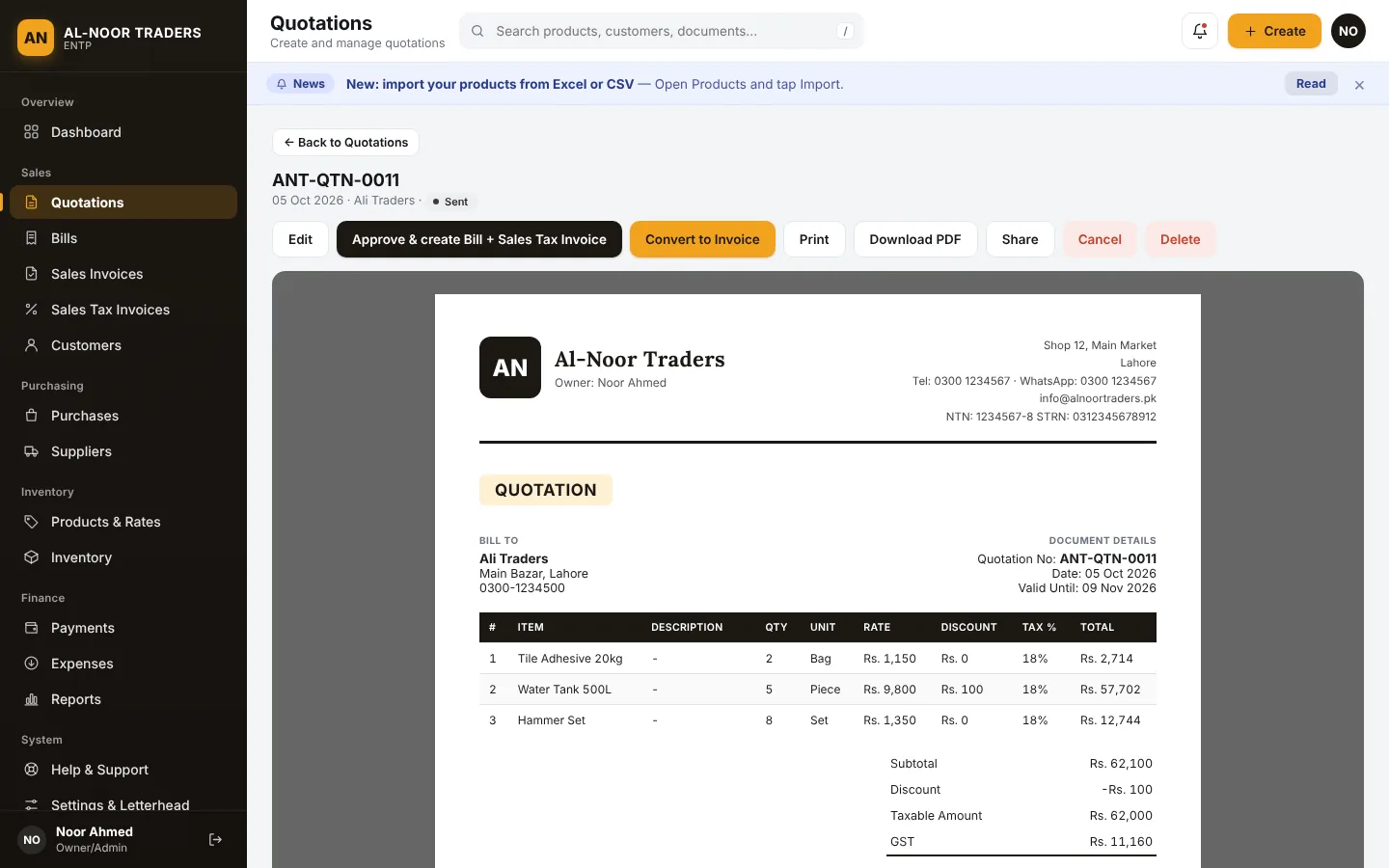
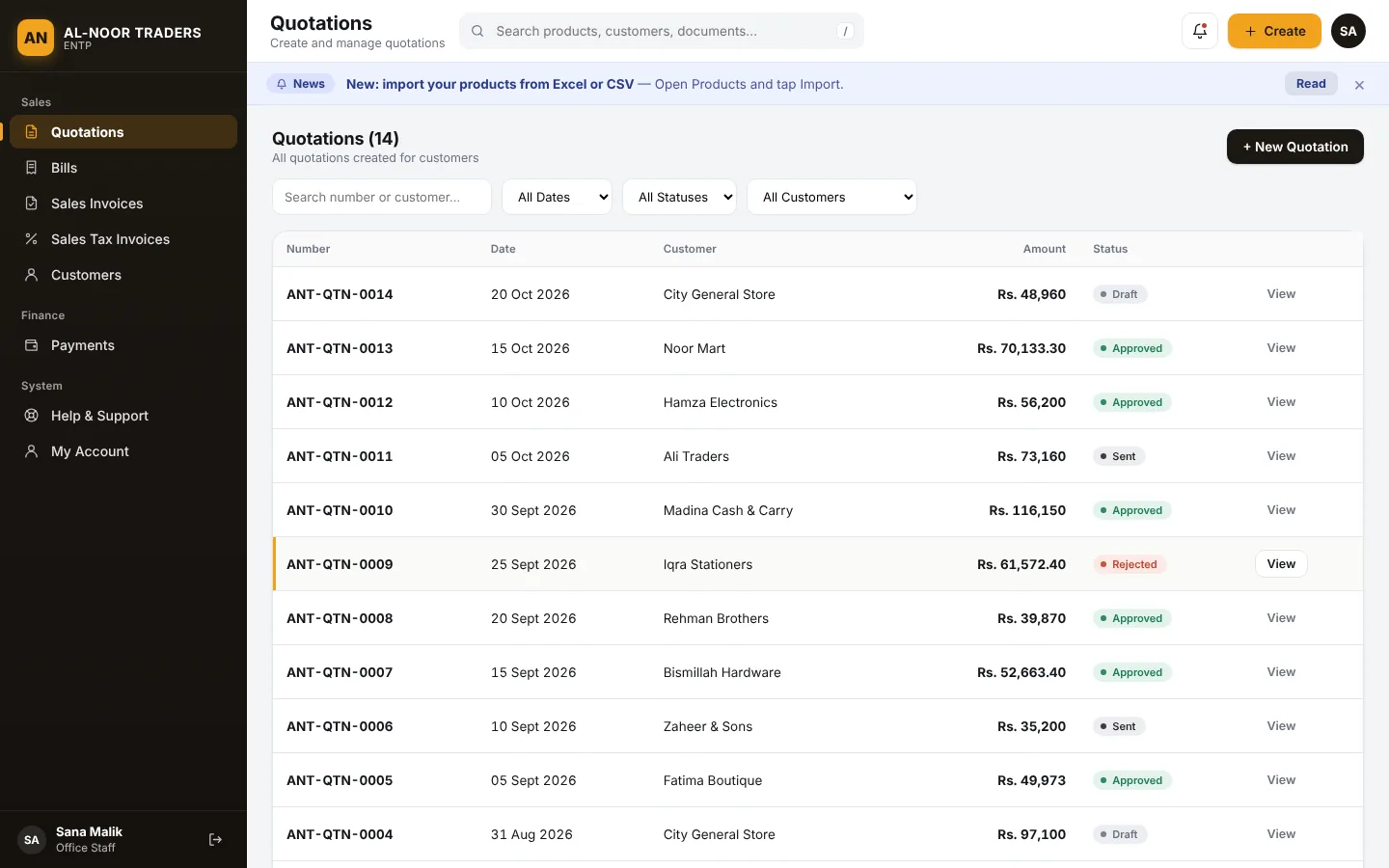
Quotation to bill and invoice in one tap
Send a quotation. When the customer says yes, approve it and the bill and invoice are created for you, with the numbers already filled in and payments linked.
- Quotation, Bill, Sales Invoice and GST Invoice, all numbered automatically with your own prefix
- Edit or cancel a document and stock and balances are corrected for you
- Long documents continue neatly on extra A4 pages
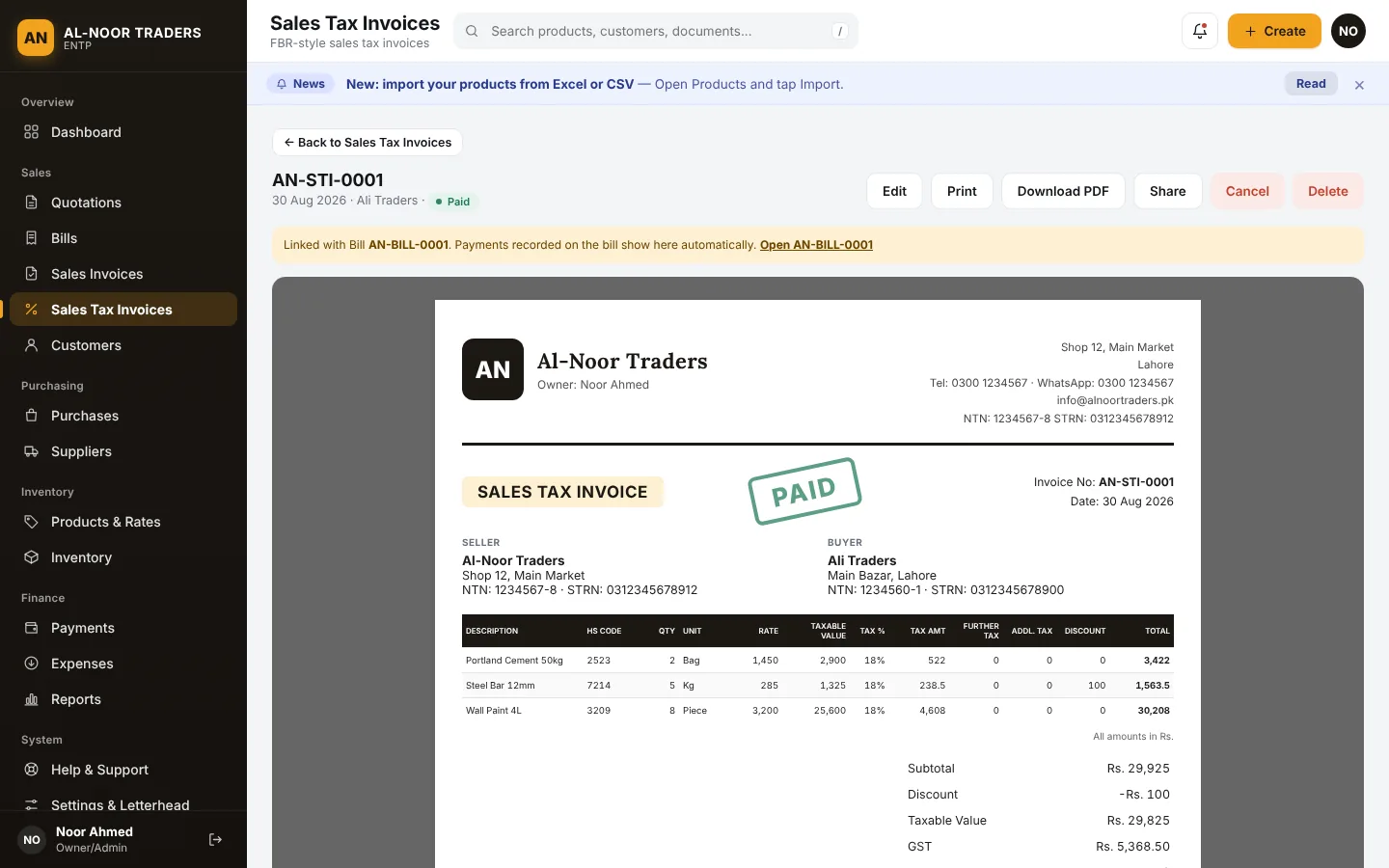
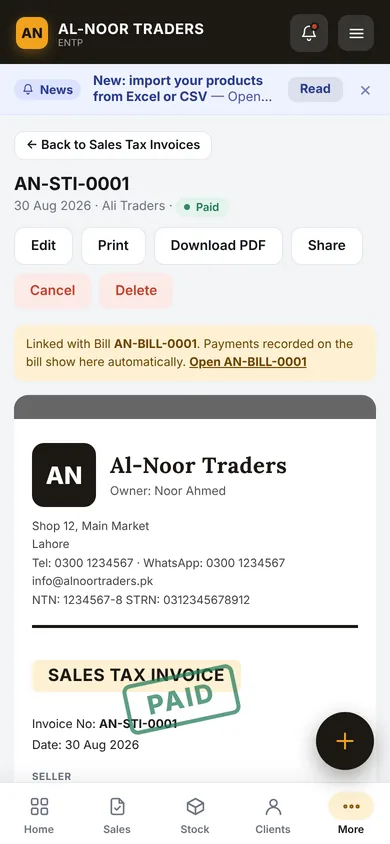
GST invoices with NTN, STRN and HS code
Prepare tax invoices the way your buyers expect: seller and buyer details side by side, HS code per item, GST, further tax and additional tax, all calculated for you.
- Print, download as PDF or share on WhatsApp
- Paid, Partially Paid, Unpaid and Cancelled shown clearly on every document
- GST report ready for your accountant
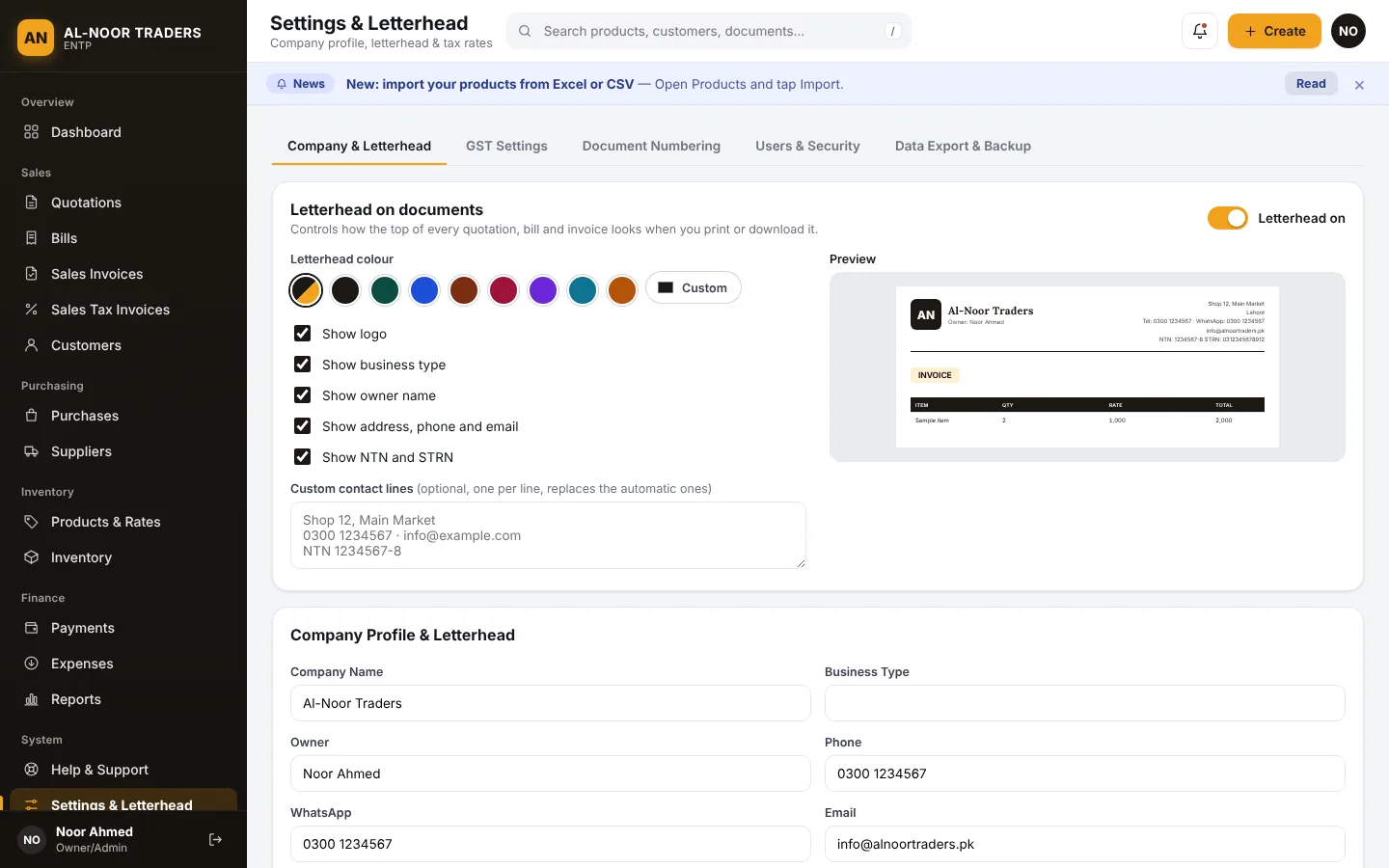
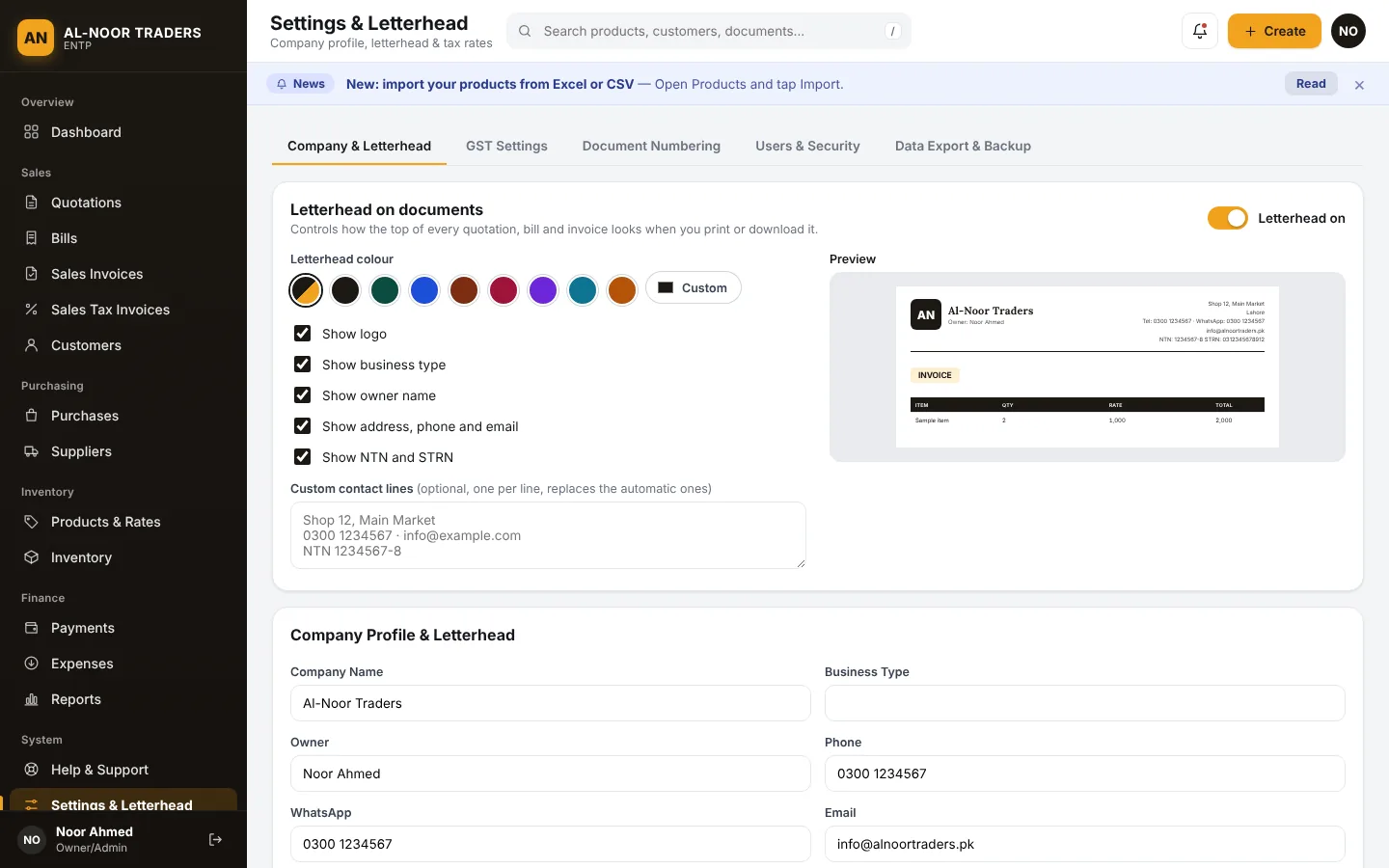
Your letterhead, your colours
Set your logo, colour, contact lines and NTN once. Every document uses them. Printing on pre-printed paper? Switch the letterhead off and keep the blank space at the top.
- Choose any colour or use the app theme
- Show or hide logo, owner name, address, phone, NTN and STRN
- Add your own contact lines
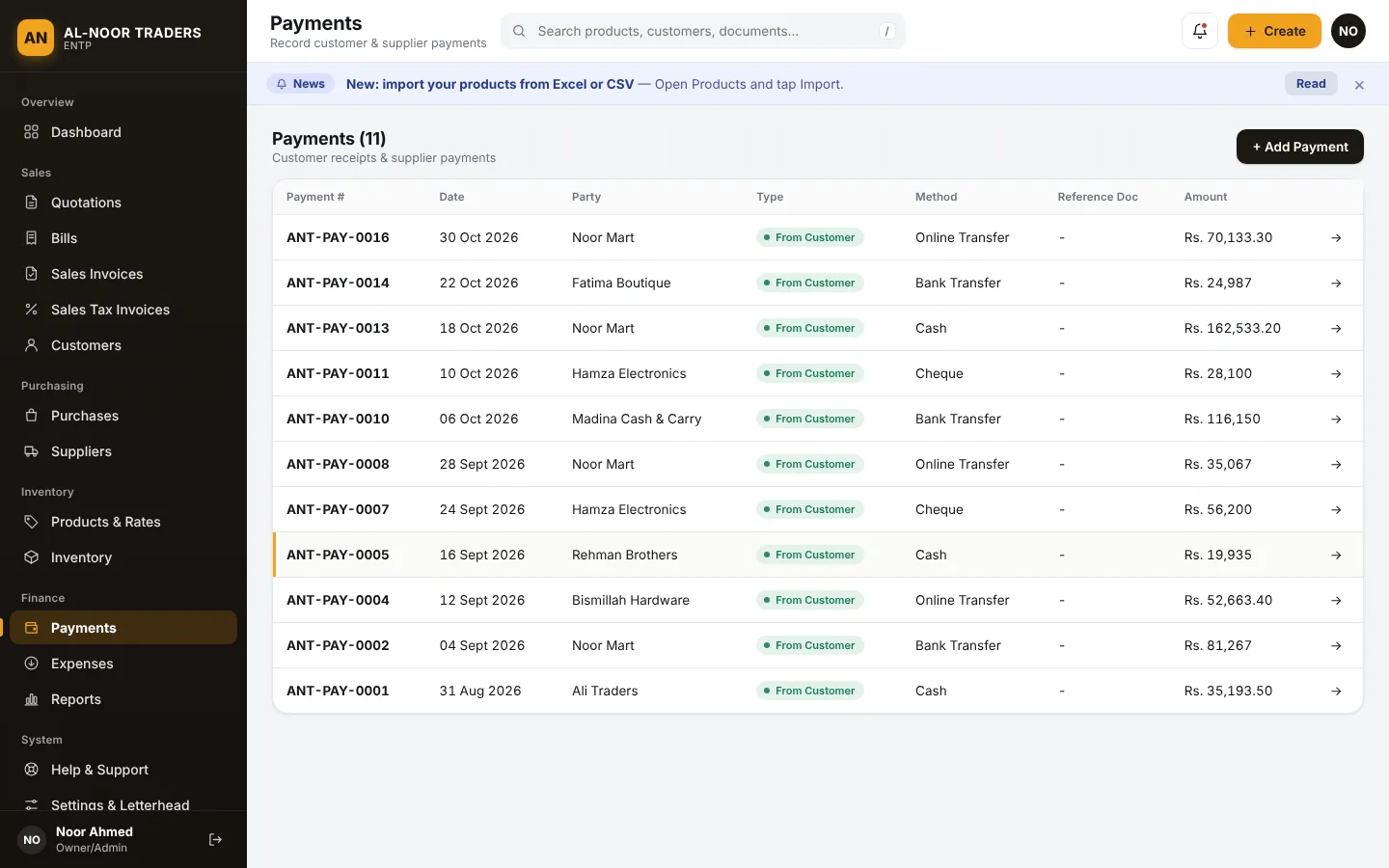
Customers, payments and who owes what
Record full or part payments against any bill. See each customer’s balance and full history, and know exactly whom to call.
- Cash, bank transfer, cheque and online payments
- Payments on a bill show on its invoice automatically
- Customer and supplier ledgers with opening balances
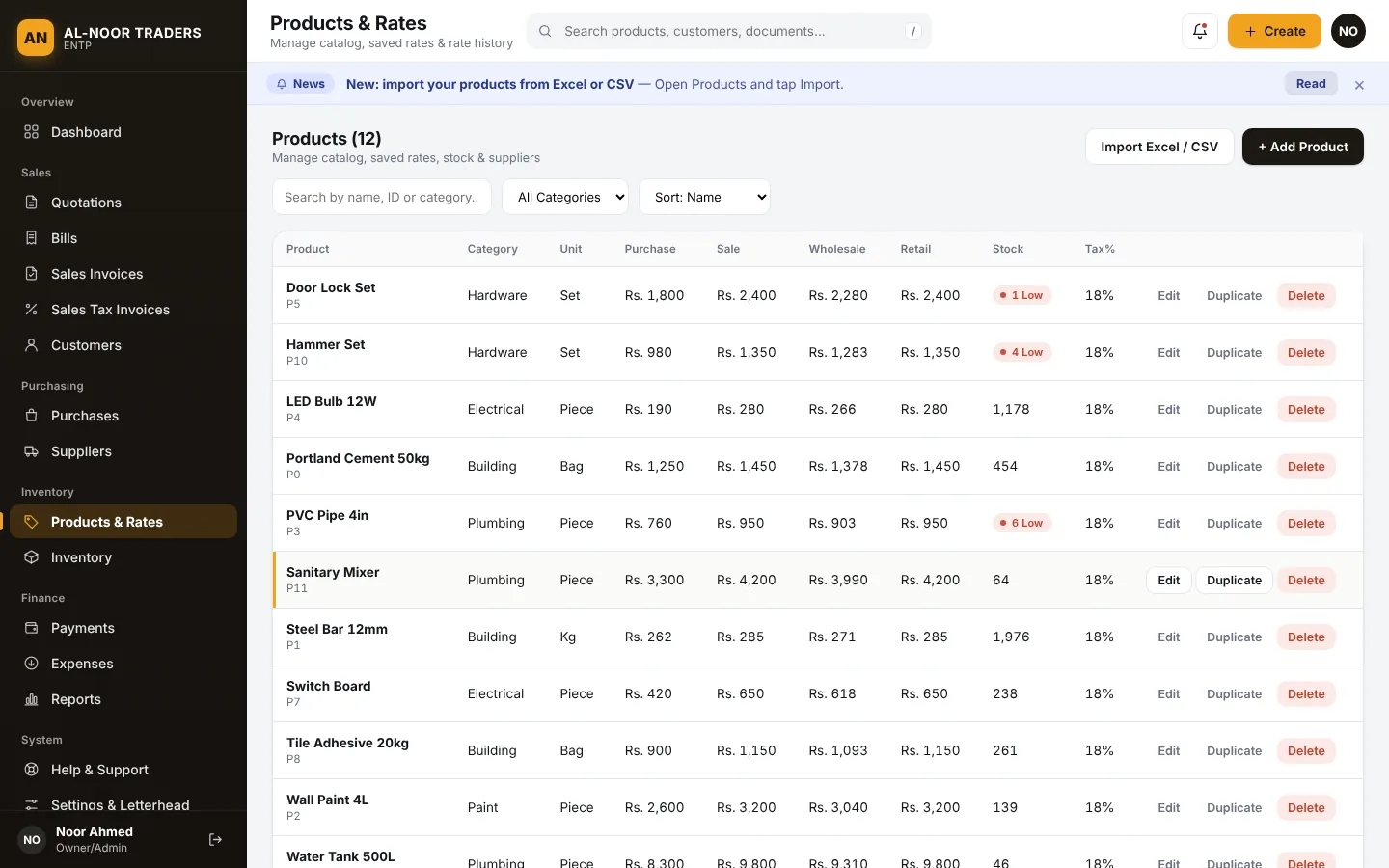
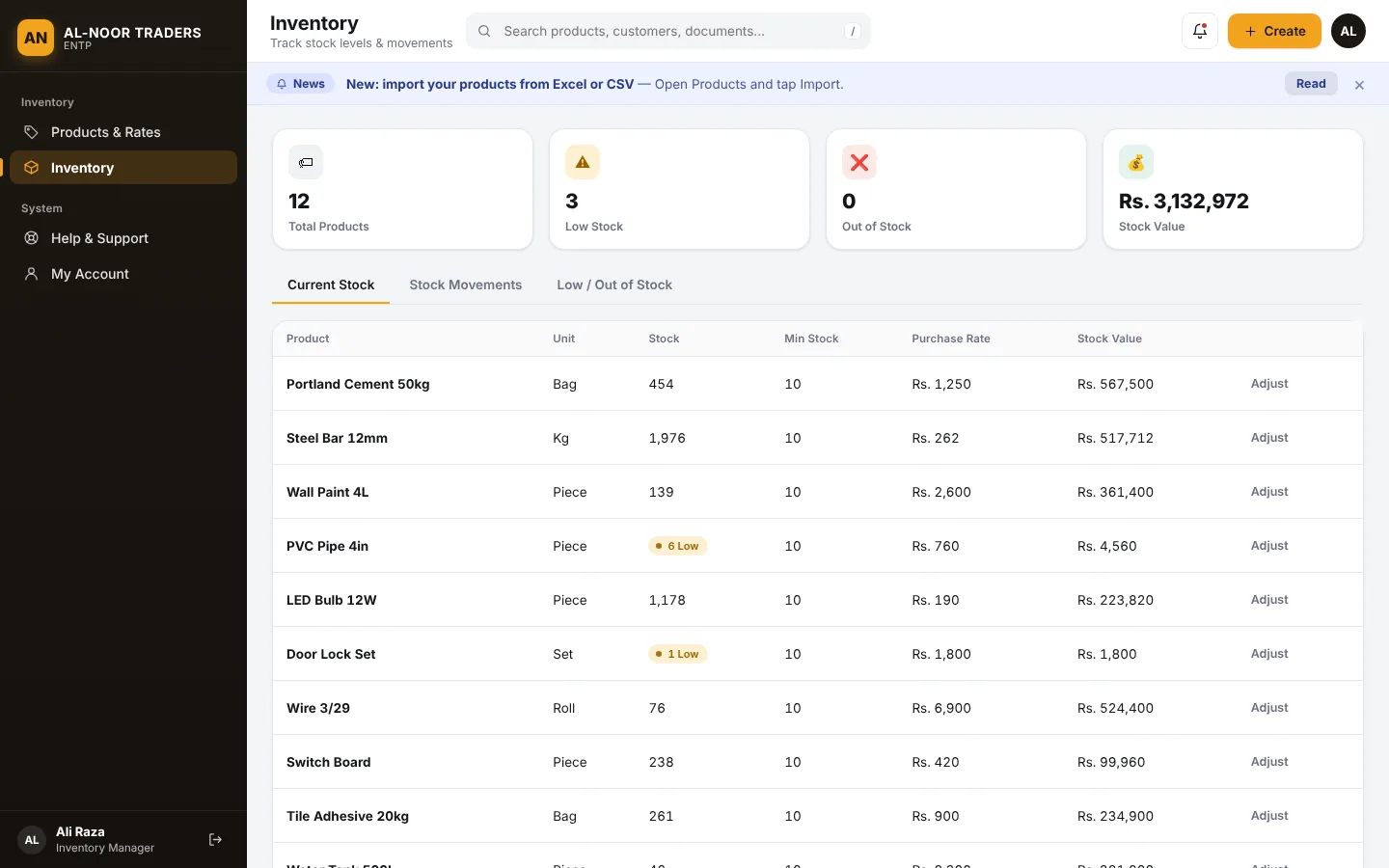
Products, rates and live stock
Keep every item with four rates (purchase, sale, wholesale, retail), tax percent and a minimum stock level. Stock goes down with each sale and up with each purchase.
- Low stock and out of stock warnings
- Full stock movement log: see why a number changed
- Adjust stock after a count and note the reason
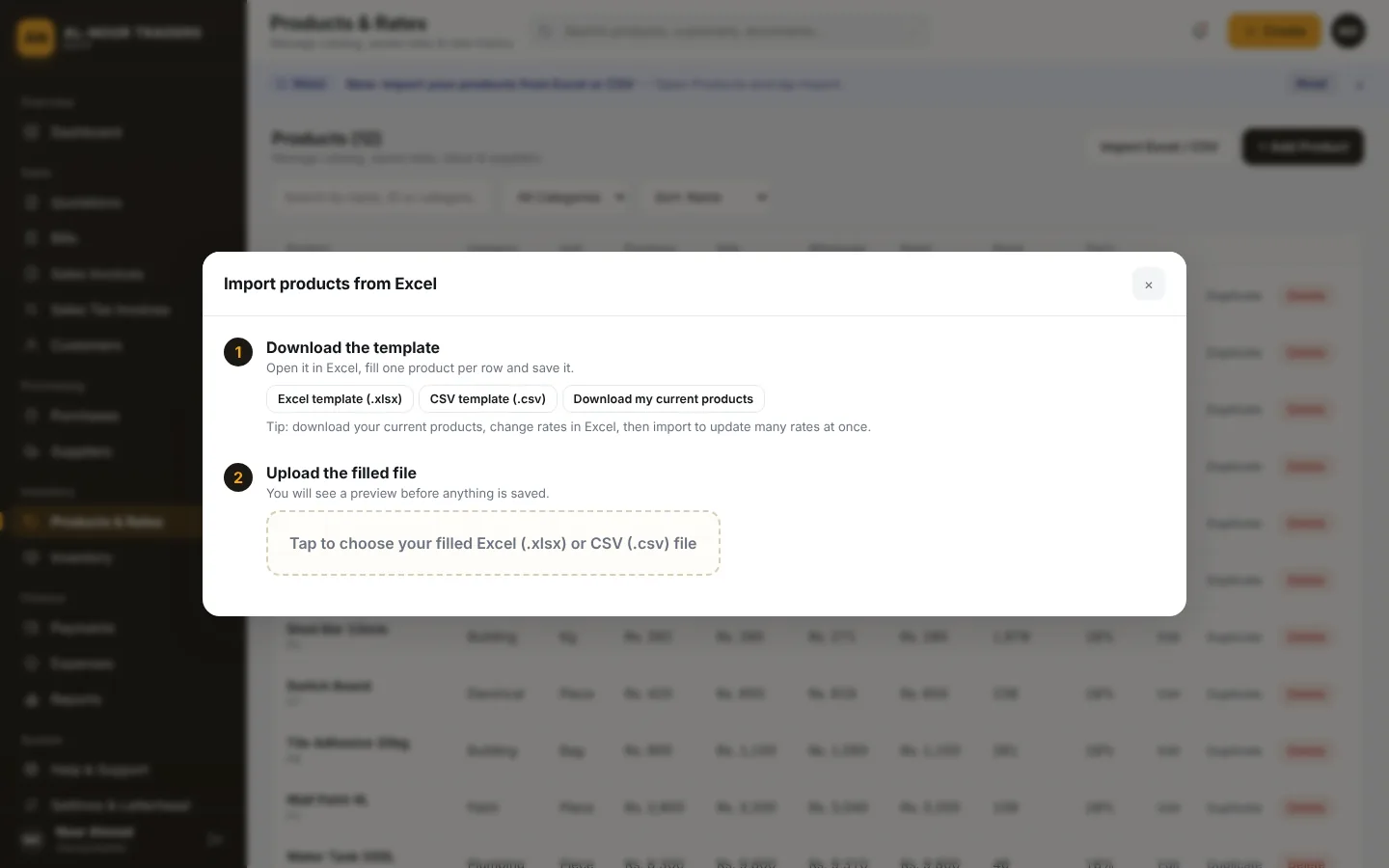
Bring your products in from Excel or CSV
Download the template, fill it in Excel, upload it, check the preview and confirm. Hundreds of products go in within minutes. You can also download your current products, change rates in Excel and import again.
- Same name updates the product instead of making a duplicate
- Rows with mistakes are skipped and explained
- Existing stock is never changed by an import
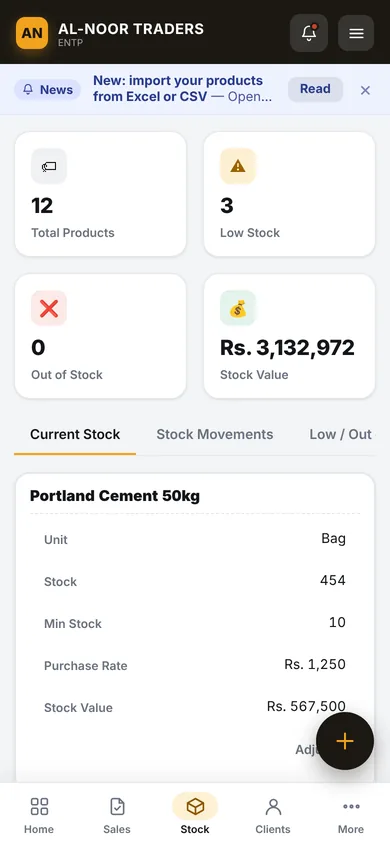
Give each person only what they need
Add logins for your inventory person and your office person. They see only their part of the work. You, as owner, see everything.
- Inventory Manager: only products, rates and stock
- Office Staff: quotations, bills, invoices, customers and payments
- Enforced on the server, so hidden parts stay hidden. Remove a login any time
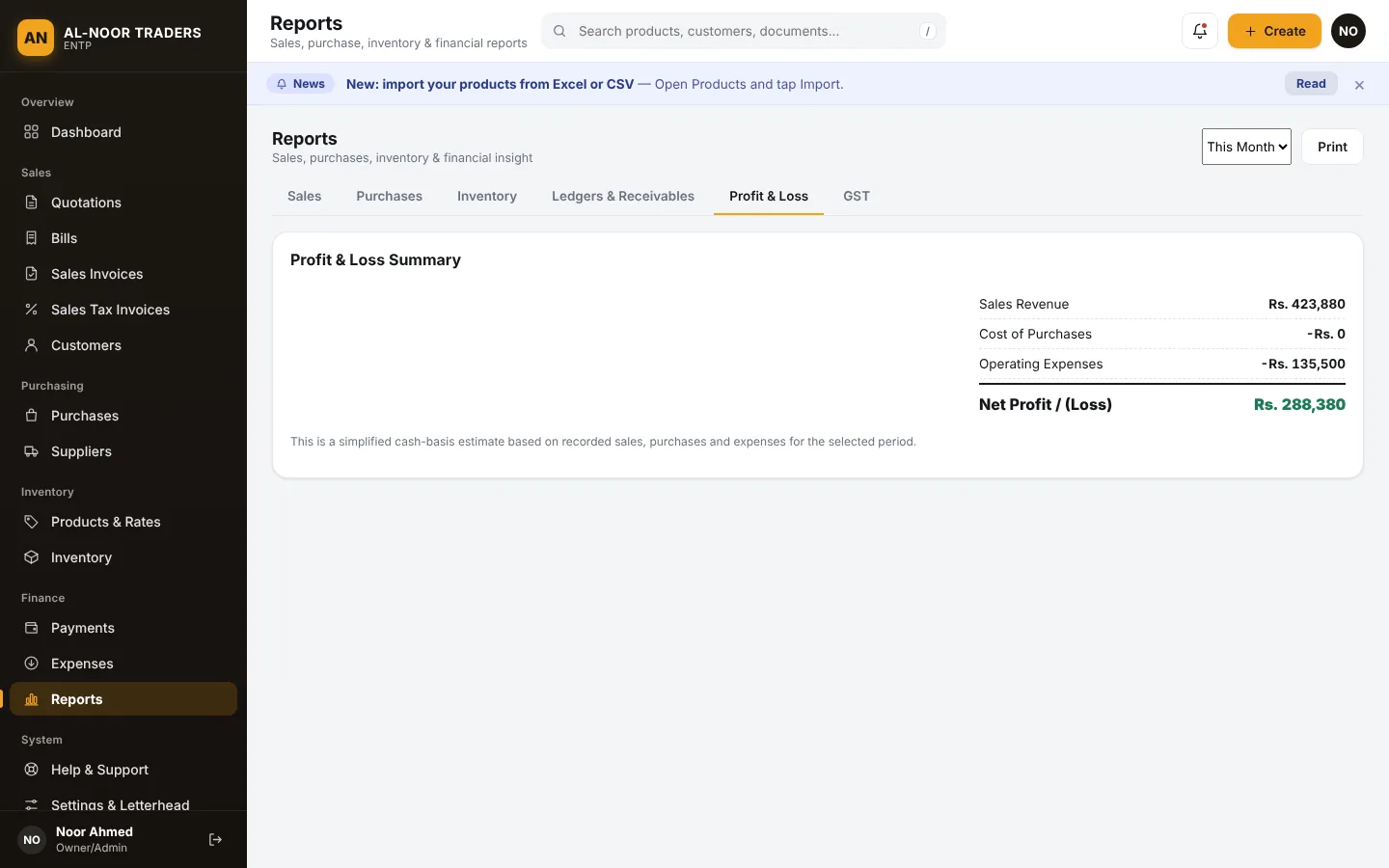
Reports for decisions, not just records
Sales, purchases, inventory, ledgers and receivables, profit and loss, and GST. Choose a period and export to CSV or print.
- Profit and loss from sales, cost and expenses
- Customer-wise and product-wise sales
- Today, week, month, year or all time
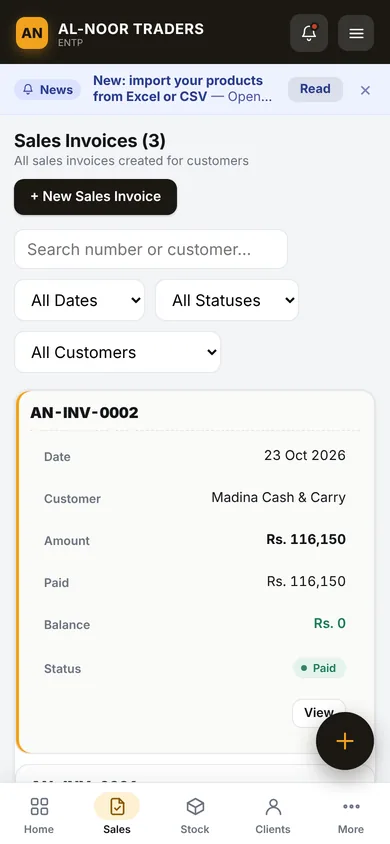
Built for the shop counter and the office desk
Open it on a phone, tablet or computer. Install it like an app. If the internet drops, keep working. Your changes are saved on the device and sync when you are back online.
Works offline
Create invoices and update stock without internet. Everything syncs when the connection returns.
Install like an app
Add it to your phone home screen or install it on Windows or Mac from the browser.
Stays signed in
No logging in again and again. Log out only when you choose to.
Your team sees only their own work
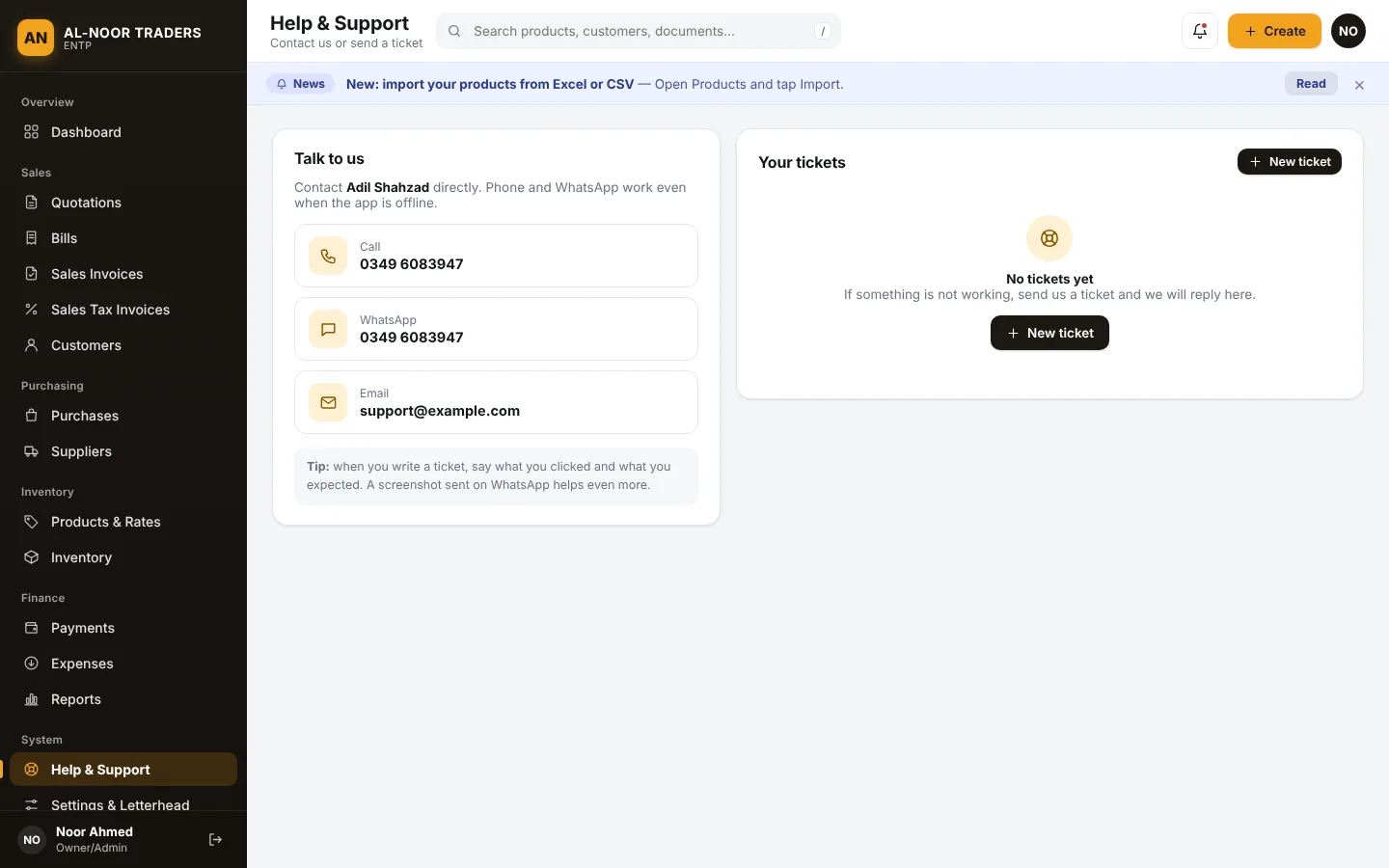
Support and news inside the app
Report a problem from the Help & Support page and follow the reply in one place. Offers and important news from us appear at the top of your screen.
The full feature list
All of this is part of the system from day one. No add-ons to buy.
Sales documents
Everything you hand to a customer
Quotations
Send a price offer first. Approve it to create the bill and invoice.
Bills
A quick bill for walk-in customers.
Sales invoices
Full invoices with automatic stock deduction.
GST invoices
Seller and buyer NTN / STRN, HS code, GST, further and additional tax.
Discounts and charges
Per-line discount and tax percent, plus delivery or other charges.
Automatic numbering
Your own prefixes, such as INV- or QTN-.
Print, PDF and share
Print, download a PDF or share on WhatsApp. Long documents continue on extra A4 pages.
Letterhead control
Your colour, logo and contact lines. Or turn the letterhead off for pre-printed paper.
Edit, cancel, delete
Stock and balances are reversed automatically.
Search and filter
By number, customer, date range or status.
Customers, suppliers and purchases
Know who owes you and whom you owe
Customer accounts
Details, NTN / STRN, opening balance, outstanding balance and history.
Supplier accounts
See exactly what you still have to pay.
Purchases
Record supplier purchases. Stock goes up automatically.
Ledgers and receivables
Who owes you, at a glance.
Products and inventory
Always know what is on your shelf
Product catalogue
Categories, 12 units, HS code, tax percent and minimum stock.
Four rates per product
Purchase, sale, wholesale and retail, with rate history.
Excel and CSV import
Download a template, fill it in and upload. Export your products too.
Live stock and value
Current stock, stock value, low and out of stock warnings.
Stock movement log
Every sale, purchase and adjustment is recorded.
Manual adjustments
Correct stock after a count or damage, with a note.
Payments, expenses and reports
Money in, money out, and the result
Customer receipts
Full or partial payments against a specific invoice.
Supplier payments
Keep supplier balances accurate.
Expenses
Transport, fuel, rent, salary, electricity and more.
Seven business reports
Sales, purchases, inventory, ledgers, profit and loss, GST and expenses. Export to CSV or print.
Team, safety and control
Your business, your rules
Staff logins with roles
Owner, Inventory Manager and Office Staff, each with their own access.
Activity log
See who changed what and when.
Works offline
Keep working without internet. Changes sync automatically.
Backup and restore
Download a full backup of your company and restore it when needed.
Separate company data
Other clients can never see your records.
Help, news and offers
Raise a support ticket, and see news from us at the top of the app.
One flow, from first price to final payment
Everything is connected, so you enter things once.
- QuoteSend a quotation and get approval.
- InvoiceApprove it. The bill and invoice are made. Stock goes down.
- Get paidRecord full or partial payments.
- See resultsDashboard and reports update at once.
Ready in a day, not a month
1. Contact us
Tell us about your business by phone, WhatsApp, email or the contact form.
2. We create your account
You get your own company code, username and password. Your data is separate from everyone else’s.
3. Set up and import
Add your logo and tax details, then import your products from Excel.
4. Create your first invoice
Add your team’s logins, and start billing.
Safe, separate and in your hands
Your own space
Every company has its own separate data. Other clients can never see yours.
Protected logins
Passwords are stored in scrambled (hashed) form, and repeated wrong attempts are blocked for a while.
Take it with you
Export your records to CSV or download a full backup whenever you want.
Frequently asked questions
Do I need to install anything?
No. It runs in your browser. If you like, you can install it on your Android phone or your Windows or Mac computer from the browser so it opens like a normal app.
Does it work without internet?
Yes, for everyday work. You can keep creating documents and updating stock, and your changes are saved on your device. They sync automatically when the internet is back. The first login needs internet.
Can I create GST invoices? Is it connected to FBR?
You can create GST invoices with seller and buyer NTN / STRN, HS codes, GST, further tax and additional tax. It does not send invoices to FBR automatically. It prepares the documents and the GST report for you.
Can my staff use it too? Can I limit what they see?
Yes. Add a login for each person. An Inventory Manager sees only products and stock. Office Staff see quotations, bills, invoices, customers and payments. The owner sees everything and manages the logins.
I have my products in Excel. Can I bring them in?
Yes. Download the template from the Products page, paste your products into it, upload it and check the preview. CSV files work too.
Can I print on my own letterhead paper?
Yes. Either design your letterhead in the app with your colour, logo and contact lines, or turn the letterhead off and leave the blank space at the top for pre-printed paper.
How do I pay, and what happens when my package ends?
Payment is arranged directly with us. There is no online card payment. When your package date arrives, the system asks you to contact us to renew, and you can send your payment screenshot or transaction number from that screen. Your data is not deleted. Access returns once your renewal is recorded.
Can I take my data with me?
Yes. Export your data as CSV and download a full backup from Settings at any time.
I forgot my password. What do I do?
Contact us and we can reset it. If you are a staff member, ask the owner of your company, who can set a new password for you.
Can I see it before I decide?
Yes. Send us a message and we will show you around.
Ready to simplify your business?
Talk to us today and we will set you up.